

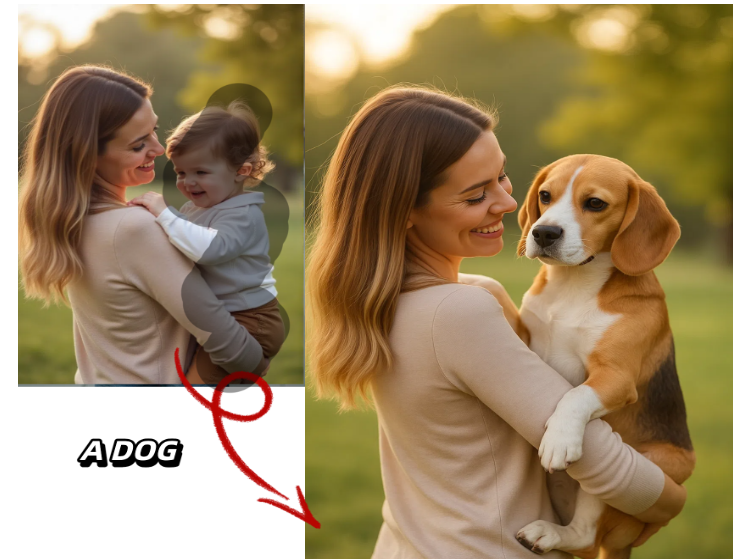
AI creative tools have moved fast in the last two years. What used to require a designer, a video editor, and a dubbing studio can now be done in a browser tab, often in minutes. Two categories in particular have exploded in popularity: prompt-based image editors that let you rewrite a photo with a sentence, and talking photo generators that bring a single still image to life with synced speech and expression.
If you’ve been searching for the best options in either category, you’ve probably noticed the market is crowded, and pricing pages can be confusing. This guide breaks down the top tools of 2026, what they’re actually good at, what they cost, and where they fall short — so you can pick the right one for your workflow without wasting credits on trial and error.
At a Glance
| Tool | Best For | Free Plan | Starting Paid Price | Standout Feature |
| Magic Hour | All-in-one image, video & talking photo | Yes, no signup to try | $10/month (annual) | Frontier models + full workflow in one app |
| Adobe Firefly | Prompt-based photo editing | Yes, limited credits | $9.99/month | Deep Photoshop integration |
| Photoroom | Product & portrait editing | Yes, watermarked exports | $9.99/month | Fast background and object editing |
| HeyGen | Talking photo & avatars | Limited trial | $29/month | Business-oriented avatar library |
| D-ID | Talking photo for presentations | Limited trial | $18/month | Enterprise API support |
| Vidnoz | Free talking photo generator | Yes, generous free tier | $19.90/month | Budget-friendly for casual use |
How We Chose These Tools
We evaluated each platform against a consistent set of criteria: output quality (does the lip sync look natural, does the prompt-based edit hold up at full resolution), pricing transparency (are the advertised numbers what you actually pay), breadth of features beyond the core use case, ease of use for beginners, and how each company treats free users. We tested free tiers directly, cross-checked pricing pages, and prioritized tools that are actively maintained with regular updates rather than ones that peaked a year or two ago. Tools that hid pricing behind “contact sales” for basic plans, or that required a credit card just to test the product, were ranked lower for accessibility.
1. Magic Hour — Best Overall
Magic Hour tops this list because it doesn’t force you to choose between an ai image editor with prompt and a talking photo ai free generator — it does both exceptionally well, alongside a full suite of video and audio tools, in a single platform. You can try it with no signup required, and unlike most competitors, credits never expire once earned or purchased.
Key differentiators:
- Best-in-class face swap, lip sync, and talking photo quality, built on frontier AI models rather than a single in-house model
- Click-to-create templates and one-click multi-step workflows (generate → upscale → animate into video) that remove the need to juggle separate tools
- Fast variations and multiple takes per prompt, so you’re not stuck with the first result
- Parallel generations with no concurrency cap on higher plans, plus weekly feature releases
- Full API parity, meaning anything you can do in the app you can also automate
- Reliable performance during traffic spikes and live activations, backed by founder-level support responses
Pricing (verified on magichour.ai/pricing):
- Free — no card required, includes free daily credits
- Creator — $15/month, or $10/month billed annually ($120/year), 120,000 credits/year, 1024px exports, 3 concurrent generations, full API access
- Pro — $39/month, or $25/month billed annually ($300/year), 300,000 credits/year, 1472px exports, 5 concurrent generations
- Business — $99/month, or $66/month billed annually ($792/year), 840,000 credits/year, 4K exports, unlimited concurrent generations
Drawbacks: With so many tools under one roof, first-time users may need a few minutes to find the specific feature they want. Free-tier video and audio exports carry a watermark, though image outputs do not.
2. Adobe Firefly
Firefly is Adobe’s generative AI suite, tightly woven into Photoshop and Express. Prompt-based edits like generative fill and expand are genuinely strong, especially for people already inside the Adobe ecosystem.
Pricing: Free plan with monthly generative credits; paid plans start around $9.99/month.
Main features: Generative fill, text-to-image, and seamless handoff to Photoshop layers.
Drawbacks: Talking photo and lip sync aren’t part of the toolkit, so you’ll need a separate app for animated content. Commercial licensing terms can also be confusing for freelancers.
3. Photoroom
Photoroom is built around fast, prompt-guided background and object editing, popular with e-commerce sellers and social media creators who need clean product shots quickly.
Pricing: Free tier with watermarked exports; paid plans start at $9.99/month.
Main features: One-tap background removal, AI-generated backdrops from text prompts, batch editing.
Drawbacks: Limited to still images — no video, talking photo, or animation features at all.
4. HeyGen
HeyGen is widely used for AI avatar videos and talking photos in a business or marketing context, with a large library of pre-built avatars.
Pricing: Limited free trial; paid plans start at $29/month.
Main features: Avatar video generation, voice cloning, multilingual dubbing.
Drawbacks: The free tier is quite restrictive, and per-minute video limits on lower plans can be tight for regular creators.
5. D-ID
D-ID focuses on turning static photos into talking presenters, often used for corporate training videos and presentations.
Pricing: Short free trial; paid plans start at $18/month.
Main features: Photo-to-video avatars, API access for developers, presentation-style templates.
Drawbacks: Output style leans corporate and can look stiff for casual or creative content; pricing scales quickly for higher usage.
6. Vidnoz
Vidnoz offers one of the more generous free talking photo tools on the market, aimed at casual users who want quick results without a big commitment.
Pricing: Free tier available; paid plans start around $19.90/month.
Main features: Talking photo generator, basic avatar templates, simple export options.
Drawbacks: Output quality and lip-sync accuracy lag behind premium tools, and the interface includes frequent upsell prompts.
FAQs
Is there a truly free AI image editor with prompt-based editing? Yes. Several tools on this list, including Magic Hour, Adobe Firefly, and Photoroom, offer usable free tiers. Magic Hour stands out because it requires no signup to start experimenting.
Can I make a talking photo for free? Yes — Magic Hour, Vidnoz, and a few others offer free talking photo generation, though free plans typically come with lower resolution or a watermark on video exports.
Which tool is best for combining image editing and talking photo generation? Magic Hour, since it covers both in one platform with a shared credit system, rather than requiring separate subscriptions for each capability.
Do credits expire? This varies by platform. Magic Hour’s credits never expire, which is one of its biggest advantages over competitors that reset unused credits monthly.
Are these tools suitable for commercial use? Most paid plans across these tools include commercial usage rights; free plans typically restrict output to personal, non-commercial use. Always check the specific platform’s terms before using generated content commercially.
Conclusion
The gap between “AI image editor” and “talking photo generator” is closing fast, and the tools that win in 2026 are the ones that don’t make you choose between them. Magic Hour leads this list for exactly that reason: a generous free tier, transparent and affordable pricing starting at $10/month, frontier-model quality, and a workflow that takes you from a single prompt to a finished, animated result without switching apps. Adobe Firefly and Photoroom remain excellent if you only need still-image editing, while HeyGen and D-ID suit teams focused specifically on avatar-style business video. Whichever tool you choose, start with the free tier, test with your own images, and judge the output quality yourself before committing to a subscription.
